
Table of Contents
PC Throttling What It Is and How to Stop It
| Quick answer: Detect GPU throttling by running the Stress Test in the TechTester GPU tester at techtester.online/gpu tester/ if your benchmark score starts high then drops as the test continues, thermal throttling is occurring. CPU throttling can be detected in Task Manager if CPU frequency drops below its base clock during demanding tasks, throttling is happening. |
What is throttling?
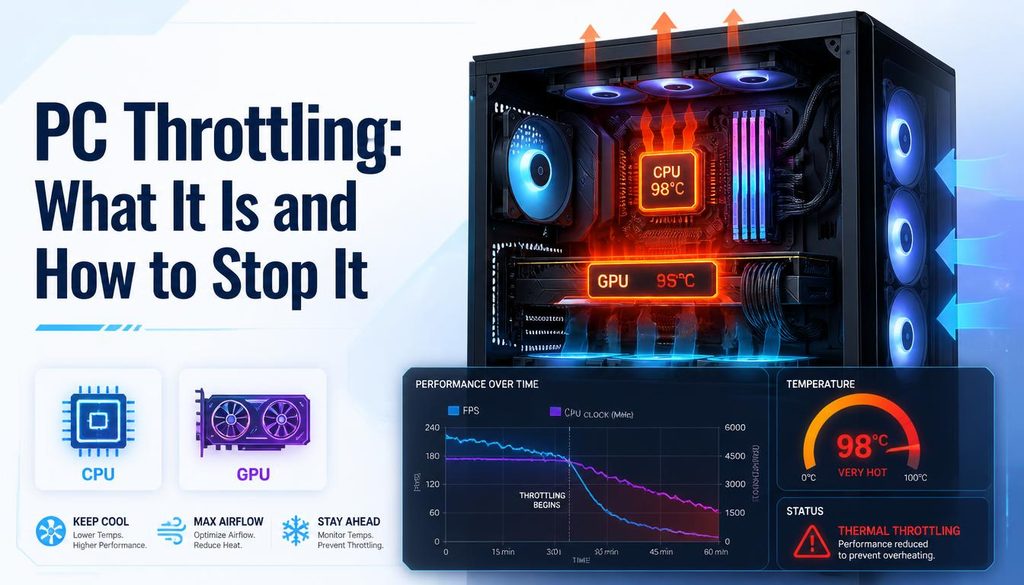
Throttling is when your CPU or GPU automatically reduces its clock speed (and therefore performance) to protect the hardware from overheating or to stay within its power delivery limits. Throttling is a self preservation mechanism without it, running too hot would permanently damage the processor. The problem is that throttling causes FPS drops, stuttering, slow application performance, and general sluggishness that often gets misdiagnosed as needing a hardware upgrade.
Types of throttling
Thermal throttling
The most common type. Occurs when the CPU or GPU temperature exceeds a safe threshold typically 90 100°C for CPUs and 83 90°C for GPUs. The processor reduces clock speed to generate less heat. Symptoms: performance is good at the start of a gaming session then degrades gradually as the system heats up.
Power throttling
Occurs when the power delivery to the processor cannot sustain its maximum clock speed common in laptops where the power supply wattage or battery output is insufficient to power the CPU and GPU simultaneously at full load. Symptoms: performance is lower when on battery than when plugged in, or when both CPU and GPU are heavily loaded simultaneously.
Windows Power throttling
Windows 10 and 11 include a Power Throttling feature that reduces the clock speed of background applications to save battery. This is intentional and beneficial for battery life but can occasionally throttle applications incorrectly. Disable by setting power plan to High Performance.
How to detect throttling
GPU throttling
Open techtester.online/gpu tester/ and run both the Benchmark and Stress Test modes. If your score starts high in the benchmark but drops during the sustained stress test, thermal throttling is confirmed. Also watch GPU temperature in MSI Afterburner if temperature exceeds 85°C and performance drops simultaneously, thermal throttling is the cause.
CPU throttling
Open Task Manager then Performance then CPU watch the CPU frequency displayed in the bottom right during a demanding task. If the frequency drops below the base clock speed (e.g. a 3.6GHz CPU running at 2.4GHz), throttling is occurring. MSI Afterburner and HWiNFO64 both show CPU frequency and temperature simultaneously for easier diagnosis.
How to stop throttling
Fix 1 Clean heatsink and fans
Dust accumulation on heatsink fins and fan blades is the most common cause of thermal throttling. Use compressed air to clean laptop vents, desktop CPU cooler fins, and GPU heatsink fins. On heavily used systems this should be done every 6 to 12 months.
Fix 2 Replace thermal paste
Thermal paste between the processor and heatsink degrades over 3 to 5 years, reducing heat transfer efficiency. Replacing it with fresh paste (Arctic MX 4, Thermal Grizzly Kryonaut) typically reduces temperatures by 5 15°C, which can eliminate throttling entirely on systems with marginal cooling.
Fix 3 Improve case airflow
Desktop PCs need adequate case airflow cool air in through the front, hot air out through the rear and top. Ensure front intake fans are not blocked by cables or panels. Adding an additional case fan to improve airflow is inexpensive and can reduce temperatures by 5 10°C.
Fix 4 Laptop cooling pad
For laptops, a cooling pad with active fans underneath the chassis can reduce operating temperatures by 5 to 15°C and eliminate or reduce thermal throttling. Particularly effective for gaming laptops with bottom mounted air intakes.
Fix 5 Adjust power limits in GPU software
MSI Afterburner allows setting a custom power limit for the GPU reducing it by 10 to 15% reduces heat output significantly while having a smaller impact on performance. This is called undervolting and is a common solution for laptop GPUs that thermal throttle.
FAQ
How do I know if my PC is thermal throttling?
Run the stress test in TechTester GPU tester at techtester.online/gpu tester/ if the benchmark score drops during sustained load, GPU throttling is occurring. For CPU throttling, watch CPU frequency in Task Manager during demanding tasks. If frequency drops below base clock speed, CPU throttling is active.