
Table of Contents
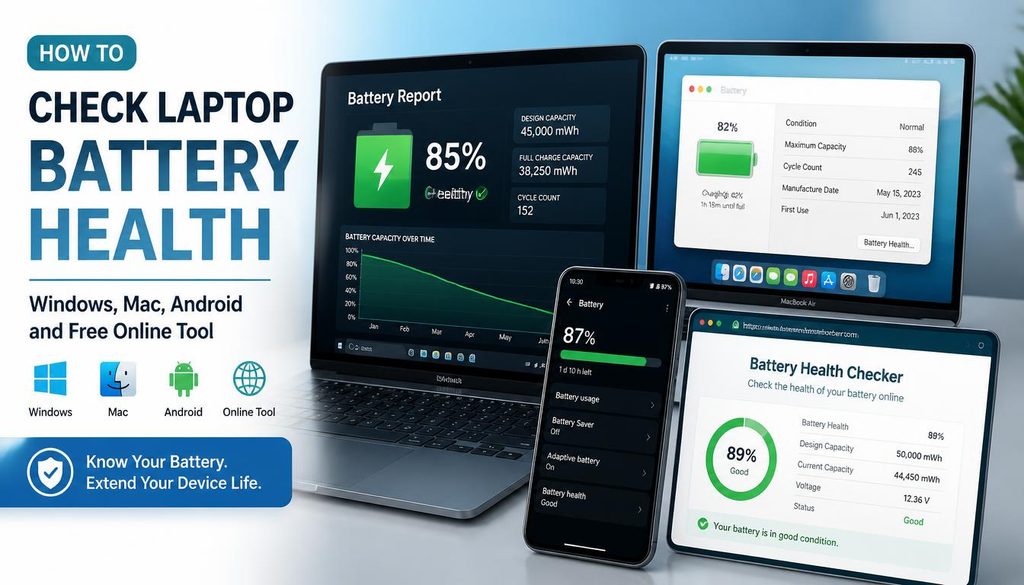
How to Check Laptop Battery Health — Windows, Mac, Android and Free Online Tool
| Quick answer: The fastest way to check your laptop battery health is to open techtester.online/laptop-battery-checker/ in Chrome or Edge. Your current battery level, charging status, and estimated time remaining appear instantly — no download, no command line, no account required. For deeper health data including cycle count and original vs current capacity, follow the OS-specific guides below. |

Your laptop battery degrades over time every charge cycle permanently reduces the maximum capacity it can hold. A battery in perfect health holds 100% of its original capacity. After 2 to 3 years of daily use most batteries hold 70 to 80%. Below 60% you will notice significantly shorter battery life. Below 40% the laptop may shut down unexpectedly even when the percentage indicator shows 20 to 30%.
This guide covers every method to check battery health — from a quick browser check to detailed OS-level reports — so you know exactly what condition your battery is in and when it needs replacement.
What is battery health?
Battery health is the percentage of original battery capacity that remains. A brand new battery has 100% health. After regular use the battery chemistry degrades and it holds less charge. Battery health is measured by comparing the battery’s current maximum capacity against its original design capacity.
Example: your laptop battery was designed to hold 60 Wh (watt-hours). After two years of use it now only holds 45 Wh at full charge. Your battery health is 45/60 = 75%. The battery indicator still shows 100% when fully charged — but that 100% is now only 45 Wh instead of 60 Wh, meaning less runtime.
| Health % | Rating | What it means | Action |
|---|---|---|---|
| Above 80% | Healthy | Battery is performing normally. Runtime close to original specification. | No action needed. |
| 60% to 80% | Moderate | Noticeable reduction in runtime. Normal for 2 to 3 year old battery. | Monitor consider replacement within 12 months. |
| 40% to 60% | Poor | Significant capacity loss. Runtime substantially reduced. | Replace battery soon. |
| Below 40% | Critical | Severe degradation. Risk of unexpected shutdowns. | Replace immediately. |
Method 1 — Free online battery check (fastest — 10 seconds)
Open techtester.online/laptop-battery-checker/ in Chrome or Edge on your laptop. Your battery information appears immediately:
- Current charge level as a percentage
- Charging status charging, discharging, or fully charged
- Estimated time remaining on battery or time until full charge
- Charging rate in watts (on supported browsers)
This method uses the W3C Battery Status API built into modern browsers. No software installation required and nothing is uploaded to any server. The check takes under 10 seconds and works on Windows, Mac, Linux, and Chromebook laptops.
Limitation: the browser battery check shows current level and status but cannot show cycle count or original vs current capacity. For that data use the OS specific methods below.
Check your battery right now free, instant, no download: techtester.online/laptop-battery-checker/
Method 2 — Check battery health on Windows 11 and Windows 10
Windows has a builtin battery report command that produces a detailed HTML file showing your battery’s original capacity, current capacity, cycle count, and recent usage history. This is the most detailed battery health report available on Windows better than any third-party tool.
How to generate Windows battery report
- Press Windows key + X on your keyboard
- Click Terminal or Command Prompt (Admin) from the menu
- Type this command exactly and press Enter:
| powercfg /batteryreport /output C:battery-report.html |
- Open File Explorer and navigate to C: (your C drive)
- Find the file battery report.html and double click to open it in your browser
- Scroll to the Battery Information section
How to read your Windows battery report
The battery report shows three key numbers:
- Design Capacity: the original capacity your battery was built with (in mWh)
- Full Charge Capacity: the maximum charge your battery holds today (in mWh)
- Cycle Count: how many full charge cycles the battery has completed
Calculate your battery health percentage:
| Battery Health % = (Full Charge Capacity ÷ Design Capacity) × 100 Example: Design Capacity 45,000 mWh, Full Charge Capacity 36,750 mWhBattery Health = (36,750 ÷ 45,000) × 100 = 81.7% |
The report also shows Recent Usage a chart of battery drain over the past few days and Battery History showing how capacity has changed over the life of the laptop.
Windows battery health via Settings (Windows 11 only)
- Open Settings (Windows key + I)
- Click System
- Click Power and Battery
- Click Battery health under the battery percentage
Windows 11 shows a simplified battery health status Good, Fair, or Poor. For the exact percentage use the powercfg command above.
After running the Windows battery report compare your result against the health table above. If below 60%, check battery replacement options for your specific laptop model.
Method 3 — Check battery health on Mac
Mac shows battery health directly in System Settings without any command line steps. Apple also has a Maximum Capacity percentage that directly mirrors the battery health percentage concept.
macOS Ventura, Sonoma, and Sequoia (2023 onwards)
- Click the Apple menu (top left corner)
- Click System Settings
- Click Battery in the left sidebar
- Click the Battery Health button or info icon (i) next to the battery status
- Your Maximum Capacity percentage appears this is your battery health
macOS Monterey and earlier
- Click the Apple menu
- Click System Preferences
- Click Battery
- Click Battery in the left menu
- Click Battery Health button
Mac battery condition labels
Mac shows both a percentage and a condition label:
- Normal: battery is functioning normally health above 80%
- Service Recommended: Apple recommends servicing the battery health typically below 80%
- Replace Soon: significant degradation reduced runtime expected
- Replace Now: severe degradation risk of unexpected shutdowns
Mac battery cycle count
- Hold the Option key and click the Apple menu
- Click System Information
- Click Power in the left sidebar
- Find Cycle Count under Battery Information
Apple’s maximum cycle count varies by model MacBook Pro models generally support 1,000 cycles, older MacBook Air models support 500 cycles. Reaching the maximum cycle count does not mean the battery stops working it means Apple considers it end of service life.
Apple offers battery replacement for MacBook laptops starting from approximately $99 to 199 depending on model. Use Apple’s Self Service Repair programme for compatible models if you are comfortable replacing it yourself.
Method 4 — Check battery health on Android
Android battery health information varies by manufacturer. Some brands surface it directly in Settings while others require a secret code or third-party app.
Samsung Galaxy — battery health in Settings
- Open Settings
- Tap Battery
- Tap Battery protection or Battery health
- Your battery health percentage appears directly
All Android phones — secret diagnostic code
- Open the Phone app (the dialler)
- Type *#*#4636#*#* exactly
- A Testing menu appears automatically
- Tap Phone Information or Battery Information
- Battery health shows as Good, Unknown, Overheat, Dead, Over Voltage, or Unspecified Failure
Google Pixel — adaptive battery health
- Settings then Battery then Adaptive Battery
- Pixel devices do not show a percentage they show usage optimisation status
- For Pixel battery cycle count: Settings then About Phone then Battery then Battery usage
Android battery health apps: AccuBattery (free tier available) is the most accurate third party Android battery health tool. It measures charge capacity over multiple sessions to calculate a health percentage more accurately than the system diagnostic code.
Method 5 — Check battery health on iPhone
- Open Settings
- Tap Battery
- Tap Battery Health and Charging
- Your Maximum Capacity percentage appears this is your battery health
- Apple also shows Peak Performance Capability status below the percentage
iPhone battery health interpretation:
- Above 80%: Normal Apple considers this healthy
- Below 80%: Service Recommended Apple suggests battery replacement
- Optimized Battery Charging is separate this is a charging behaviour setting, not a health indicator
Apple offers iPhone battery replacement at Apple Stores, Apple Authorised Service Providers, and through Apple’s Self Service Repair programme. Cost varies by model typically $69 to 99. Third party repair shops offer lower prices but may use non genuine batteries which Apple will flag in the Battery Health screen.
Method 6 — Check battery health on Chromebook
Chromebooks do not have a built in graphical battery health tool but the Chrome OS terminal provides battery information.
- Press Ctrl + Alt + T to open the Crosh terminal
- Type: battery test and press Enter
- Chromebook runs a 30 second battery discharge test and shows:
- Battery health percentage
- Charge percentage at start and end of test
- Discharge rate in W
Alternative: Open Chrome browser and go to chrome://system search for “battery” to see raw battery data including cycle count and design vs current capacity.
What affects battery health — and how to slow degradation
Battery degradation is chemical and inevitable but the rate of degradation is significantly affected by how you use and charge the battery.
Factors that degrade battery health faster
- Charging to 100% regularly: keeping lithium batteries at maximum charge stresses the cells. Most manufacturers recommend charging to 80 to 90% for daily use.
- Draining to 0% regularly: deep discharge cycles degrade the battery faster than shallow cycles. Try to recharge before reaching 20%.
- Heat: battery cells degrade faster at higher temperatures. Using your laptop on a soft surface (bed, sofa) that blocks vents accelerates degradation by increasing operating temperature.
- Slow charging at high temperature: charging slowly while the laptop is under heavy load (gaming, video rendering) combines heat with prolonged charging the worst combination for battery health.
- High wattage fast charging repeatedly: fast charging stresses battery cells. Use standard charging for daily use and fast charging only when needed.
How to extend battery life — 5 habits
- Keep charge between 20% and 80%: most manufacturers now offer a Battery Limit or Optimised Charging mode that caps charging at 80%. Enable it for daily desk use when plugged in most of the time.
- Enable Windows Battery Saver or Mac Low Power Mode during unplugged use: reduces screen brightness, CPU performance, and background activity to extend runtime without degrading capacity.
- Use a cooling pad: keeping operating temperature below 35°C reduces the rate of chemical degradation. Worth the investment for gaming laptops or any laptop used under sustained load.
- Avoid overnight charging: modern laptops manage this better with smart charging but physically unplugging when full is still the best practice for battery longevity.
- Partial charges are better than full cycles: charging from 40% to 80% is better for long term battery health than charging from 0% to 100%.
Check your current battery level and charging status right now at techtester.online/laptop-battery-checker/ takes 10 seconds, no download.
When to replace your laptop battery
Battery replacement is worth considering when:
- Battery health drops below 60% runtime is significantly less than half the original specification
- The laptop shuts down unexpectedly when the battery indicator shows 15 to 30% remaining
- The battery swells physically a swollen battery is a safety issue and requires immediate replacement regardless of health percentage
- The laptop no longer holds charge at all and only works when plugged in
Replacement options
- Manufacturer service: Apple, Dell, Lenovo, HP, and most brands offer official battery replacement. Most expensive but uses genuine parts and maintains warranty.
- Authorised repair shop: typically 40 to 60% cheaper than manufacturer. Uses genuine or equivalent spec batteries.
- Self replacement: possible on many Windows laptops. iFixit.com provides guides for most models. Use a battery from a reputable supplier with matching specifications.
- New laptop: if the laptop is over 5 years old and the battery needs replacing, the cost benefit of replacement vs a new laptop is worth calculating. Battery replacement on a 5 year old laptop may cost $80 to 150 for a device that has other ageing components.
| Do NOT use swollen or leaking batteries. A physically swollen battery is a fire hazard. If your battery is visibly swollen (keyboard raised, trackpad stiff, case separating) stop using the laptop immediately and take it for professional battery removal. |
FAQ:
How do I check my laptop battery health online for free?
Open techtester.online/laptop-battery-checker/ in Chrome or Edge. Your battery level, charging status, and time remaining appear instantly using the W3C Battery Status API. No download, no account, no data uploaded. For deeper health data including cycle count, use Windows powercfg /batteryreport or Mac System Settings → Battery → Battery Health.
What percentage battery health is good?
Above 80% is healthy. Between 60 to 80% means noticeable runtime reduction but the battery is still functional. Below 60% is poor and replacement should be planned. Below 40% risks unexpected shutdowns and replacement is urgent. Apple considers below 80% as Service Recommended on iPhone and Mac.
How do I check battery health on Windows 11?
Open Terminal or Command Prompt as Administrator. Type powercfg /batteryreport /output C:battery-report.html and press Enter. Open C:battery report.html in your browser. Find Full Charge Capacity and Design Capacity. Divide Full Charge by Design Capacity and multiply by 100 to get your battery health percentage.
How do I check battery health on Mac?
Apple menu → System Settings → Battery → Battery Health (info button). Your Maximum Capacity percentage appears this is your battery health. Normal means above 80%. Service Recommended means Apple suggests replacement typically below 80%.
How do I check battery health on Android?
Open the Phone app and dial *#*#4636#*#* a testing menu appears automatically. Tap Battery Information for health status. Samsung Galaxy users can find it in Settings → Battery → Battery protection. For a percentage measurement, AccuBattery (free tier) measures actual capacity over multiple charge cycles.
How many battery cycles is normal?
Most laptop batteries are rated for 300 to 1,000 full charge cycles before reaching 80% health. MacBook Pro: 1,000 cycles. iPhone: 500 cycles. Most Windows laptops: 300 to 500 cycles. One cycle = one full 0-100% charge. Partial charges count proportionally ten 10 to 100% charges = one cycle.
Why does my laptop say 100% but die quickly?
Your battery health has degraded. When the battery indicator shows 100%, it means 100% of the current maximum capacity not 100% of the original capacity. If your battery now holds only 50% of its original capacity, 100% on the indicator only gives you half the original runtime. Check actual health using powercfg /batteryreport on Windows or Battery Health on Mac.
Can I improve my laptop battery health?
No. Battery health degradation is a chemical process that cannot be reversed. You can slow future degradation by keeping charge between 20 to 80%, avoiding heat, and enabling optimised charging modes. But existing degradation cannot be recovered the only solution is battery replacement.
Also test your other laptop hardware
While you are checking your battery health, run a complete laptop health check with TechTester’s other free browser tools:
- GPU performance — techtester.online/gpu-tester/ — benchmark your graphics card, detect thermal throttling
- RAM speed — techtester.online/ram-tester/ — check memory speed in MB/s, detect XMP not enabled
- Keyboard health — techtester.online/keyboard-checker/ — detect dead keys and stuck keys
- Touchpad gestures — techtester.online/touchpad-tester/ — confirm all touchpad gestures work correctly
- Microphone quality — techtester.online/mic-tester/ — test laptop mic before video calls
- Gaming latency — techtester.online/latency-test/ — measure input lag and network ping