
Table of Contents
How to Create a Payslip Online Free
Creating a professional payslip does not require expensive payroll software or an accountant. With the right free online tool, you can generate a complete, print ready payslip in under two minutes. This guide walks you through the exact steps using the TechTester free payslip generator at techtester.online/payslip-generator/.
What you will need before you start
Before opening the payslip generator, gather these details:
- Company name and address
- Company logo (optional PNG or JPG format)
- Employee full name and ID or reference number
- Employee job title and department
- Pay period start and end date
- Payment date
- Basic salary amount
- Any allowances (housing, transport, bonus, overtime)
- Any deductions (income tax, provident fund, health insurance)
Having these ready before you start means the payslip can be completed and downloaded in under two minutes.
Step by step: creating your payslip
Step 1 – Open the payslip generator
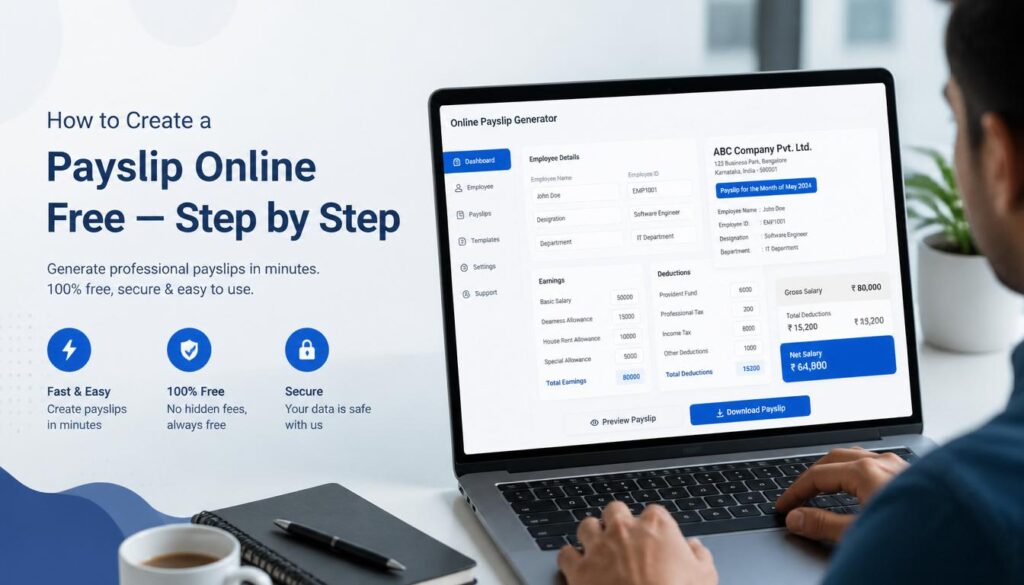
Go to techtester.online/payslip-generator/ in your browser. The tool loads immediately with no signup, no login, and no installation. You will see the payslip form on the left and a live preview panel on the right that updates in real time as you fill in the details.
Step 2 – Choose your template and settings
Select a template style Modern, Classic, or Minimal. Choose your preferred theme colour for the payslip header. Select the currency from the dropdown GBP, USD, EUR, AED, SAR, PKR, INR, or any other currency you need.
Step 3 – Enter company details
Fill in your company name and address. Click the logo upload area to add your company logo if you have one. The logo appears in the payslip header. If you do not have a logo, leave the field empty the payslip will still look clean and professional.
Step 4 – Enter employee details
Fill in the employee’s full name, their employee ID or staff number, job title, and department. These appear in the employee section of the payslip.
Step 5 – Set the pay period and payment date
Enter the start and end date of the pay period this payslip covers. Then enter the payment date the date the salary was or will be paid. These two dates are often different and both are required on a proper payslip.
Step 6 – Add earnings
Enter the basic salary amount. Then add any additional earnings using the fields provided: HRA (house rent allowance), conveyance allowance, medical allowance, special allowance, and a field for any other earnings. Each line item will appear separately on the payslip with its label and amount.
Step 7 – Add deductions
Enter all applicable deductions: Provident Fund (PF), ESI, Professional Tax, Income Tax, loan recovery, and any other deductions. The tool calculates the total deductions automatically and subtracts them from gross pay to show net pay.
Step 8 – Preview and download
Review the live preview on the right side of the screen. Confirm all figures are correct and the net pay calculation is accurate. When you are satisfied, click the Download PDF button. Your payslip is immediately downloaded to your device as a clean, professional PDF no watermarks, no email required.
Tips for a professional looking payslip
- Use a square or landscape logo at least 200×200px for best quality
- Double check that gross pay minus total deductions equals net pay before downloading
- Use consistent date formats throughout (e.g. 01 April 2026 or 01/04/2026)
- Keep a record of the input data separately the tool does not save between sessions
- If generating payslips for multiple employees, open a new browser tab for each one
Who can use this tool?
The TechTester payslip generator is used by HR professionals generating individual payslips outside normal payroll runs, small business owners who do not use dedicated payroll software, freelancers and contractors who need income documentation for banks or visa applications, employees who need a duplicate payslip when their employer’s records are delayed, and startups issuing payslips to their first employees before setting up a formal payroll system.
Is a generated payslip legally valid?
A payslip generated with this tool contains all the standard elements required on a professional payslip. Whether it is accepted as a legal or official document depends on the institution reviewing it. Banks, landlords, and visa authorities generally accept well formatted payslips. For payslips that must comply with specific local regulations such as statutory payslips under Indian or UK employment law consult your local employment law requirements.
| Create your payslip now free, no signup, download PDF instantly: techtester.online/payslip-generator/ Also see: What is a payslip? Everything you need to know. |