
Table of Contents
Free Payslip Templates Excel, Word, PDF, and a Faster Option
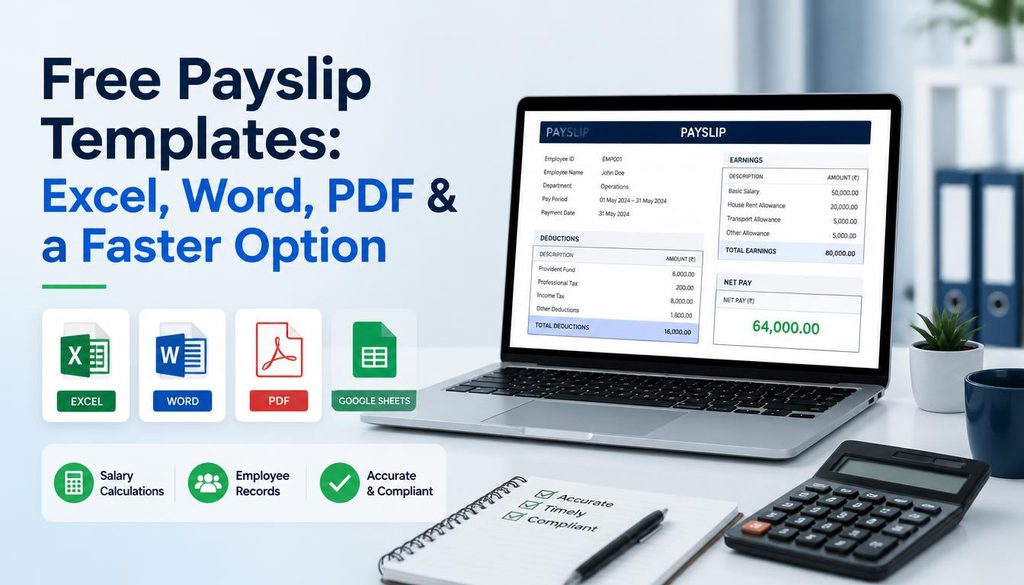
Whether you are a small business owner issuing payslips manually, a freelancer who needs proof of income, or an HR professional who wants a quick document for a new hire, payslip templates save time and keep your records professional and consistent. This guide covers the most widely used free payslip template formats Excel, Word, PDF, and Google Sheets what each one does well, and when a browser based generator is a faster and better choice than any downloadable template.
What should a payslip template include?
A payslip also called a salary slip, pay stub, or wage slip documents one pay period of compensation for one employee. Regardless of format, a complete payslip template should include all of the following:
- Employee information: full name, employee ID, job title, and department
- Employer information: company name, address, and contact details
- Pay period: start date, end date, and payment date
- Earnings: basic salary, overtime pay, bonuses, allowances, commissions
- Deductions: income tax, national insurance or social security, pension, health insurance, loan repayments
- Gross pay: total earnings before deductions
- Net pay: total earnings after all deductions the amount actually paid
- Year to date figures: cumulative earnings and deductions from the start of the financial year
Most payslip template downloads include some of these fields but not all. The completeness of a template matters a payslip missing year to date figures, for example, may not satisfy requirements for a UK employer or a Pakistani salary slip used for visa documentation.
Free payslip templates by format what each one does well
Excel payslip template best for calculations
Excel payslip templates are the most widely used format for businesses that run payroll manually. The primary advantage is automated calculation a well built Excel template uses formulas to compute gross pay, total deductions, and net pay automatically when you enter the individual figures. This eliminates arithmetic errors that are common when filling out PDF or Word templates manually.
What to look for in a free Excel payslip template:
- Built in SUM formulas for earnings and deductions totals
- Year to date columns that update automatically as you add each pay period
- A separate sheet for employee records so you can track multiple employees
- Print ready layout formatted to A4 or Letter paper size
Limitation: Excel templates require Microsoft Excel (paid) or Google Sheets (free) to open and edit correctly. Formulas may break if transferred between Excel and Sheets. The formatting often needs adjustment after you add your company logo.
Faster alternative: If you only need one payslip at a time rather than a recurring monthly spreadsheet, the TechTester free payslip generator at techtester.online/payslip generator/ calculates gross and net pay automatically, adds your company logo, and downloads a clean PDF in under 60 seconds no Excel required.
Word payslip template best for simple formatting
Word payslip templates are better suited to situations where the employer wants to control the exact visual layout of the payslip adding a custom header, using specific fonts, or including a company letterhead. Word templates are easier to brand than Excel templates and produce cleaner looking printed documents for employers who print and distribute physical payslips.
What to look for in a free Word payslip template:
- Table based layout that holds formatting consistently across different printers
- Editable text fields rather than form fields that restrict input
- Compatibility with both Microsoft Word and Google Docs
- A version without calculation formulas Word does not support formulas like Excel does
Limitation: Word templates require manual calculation you enter every figure by hand including net pay. There is no automation. A calculation error in a Word payslip is only caught when someone notices the numbers do not add up.
Faster alternative: The TechTester payslip generator handles all calculations automatically enter basic salary, add deductions, and net pay calculates instantly. Download as PDF immediately without opening Word or reformatting a template.
PDF payslip template best for fixed, printable records
PDF payslip templates are downloadable blank forms that you fill in either using a PDF editor (like Adobe Acrobat or Foxit) or by printing and handwriting the details. They are the most consistent format for physical records because the layout never shifts what you see in the PDF is exactly what prints.
PDF templates are most useful when:
- You want a fixed, uneditable record that cannot be accidentally modified after completion
- You are distributing payslips to employees who need a printed copy for official documentation
- Your organisation requires a standardised payslip format for auditing purposes
Limitation: Editing a PDF template requires a PDF editor free tools exist but most have limitations. Fillable PDF forms require specific software to complete correctly and may not display consistently across different PDF viewers. Hand filled PDFs are acceptable for small operations but look less professional than a generated document.
Faster alternative: A TechTester generated payslip downloads as a clean PDF immediately no editor required, no formatting work, no risk of layout breaking across different software versions.
Google Sheets payslip template best for cloud based access
Google Sheets payslip templates are Excel equivalent templates that live in your Google Drive, accessible from any device without installing software. The primary advantage over Excel templates is that multiple team members can access or update payroll records simultaneously, and the template is always backed up automatically.
What to look for in a free Google Sheets payslip template:
- Shared from Google Sheets directly not an Excel file converted to Sheets, which often loses formatting
- Formulas that work in Sheets syntax (not just copied from Excel)
- Protected ranges so collaborators cannot accidentally overwrite formulas
- Print settings pre configured to A4 or Letter for clean output
Limitation: Google Sheets templates require a Google account. If your team does not use Google Workspace, sharing and permissions management adds friction for a simple payslip task.
Payslip template comparison which format to choose
| Format | Best for | Setup time | Edit after download | Auto calculates |
| Excel template | Monthly payroll tracking | 5 10 min setup | Yes reformat | Yes formulas |
| Word template | Branded one off payslips | 5 10 min setup | Yes | No manual |
| PDF template | Printed physical records | 2 3 min setup | Limited | No manual |
| Google Sheets | Cloud team access | 5 10 min setup | Yes | Yes formulas |
| TechTester Generator | Instant PDF one at a time | Under 60 seconds | No download needed | Yes automatic |
Country specific payslip formats what to include
Payslip requirements vary significantly by country. A payslip template that works for a UK employer will be missing required fields for a Pakistani salary slip, and vice versa. Here is what each major market requires:
UK payslip format requirements
Under the Employment Rights Act 1996, UK employers are legally required to provide a written payslip to all employees on or before payment date. Required fields: gross earnings, variable deductions (itemised), fixed deductions (itemised or totalled), net pay, and the payment method. From April 2019, workers (not just employees) are also entitled to payslips. Year to date figures are not legally required but are standard practice and expected by HMRC for tax reconciliation.
Pakistan salary slip format
Pakistani salary slips are required for bank loan applications, visa applications, rental agreements, and EOBI (Employees Old Age Benefits Institution) filings. A standard Pakistan salary slip format includes: employee name and CNIC number, company name and address, designation, basic salary, house rent allowance (typically 45% of basic), medical allowance, conveyance allowance, EOBI deduction (employee 1%, employer 5%), income tax deduction, and net salary. Pakistani employers typically issue salary slips in both Urdu and English for formal documentation.
India salary slip format
Indian salary slips should include: employee name, PAN number, PF account number, UAN number, basic salary, HRA, special allowance, medical allowance, PF deduction (12% of basic), professional tax (state specific), TDS deduction, and net salary. The salary slip is required for home loan applications, visa processing, and income tax returns.
UAE and Gulf salary slip format
UAE salary slips typically include: employee name, Emirates ID number, employer name and trade licence number, basic salary, housing allowance, transportation allowance, and any other fixed allowances. There is no income tax deduction in the UAE. GOSI (social insurance) applies only to GCC national employees. Salary slips in the UAE are commonly required for bank account opening, credit card applications, and residency visa renewals.
US pay stub format
US pay stub requirements vary by state some states mandate written pay stubs while others have no statutory requirement. A complete US pay stub should include: employee name and address, employer name and address, pay period, gross wages, federal income tax withheld, state income tax withheld (where applicable), Social Security tax (6.2%), Medicare tax (1.45%), any other deductions, and net pay. Year to date figures are standard practice even where not legally mandated.
When to use a template vs a payslip generator
A downloadable template is the right choice when you need to issue payslips regularly to multiple employees and want a local file you can update each month particularly if you want to maintain your own payroll records in a spreadsheet format that stays on your system.
A payslip generator is the right choice when:
- You need one payslip right now without setting up a spreadsheet
- You are a freelancer or contractor who needs proof of income for a bank, landlord, or visa application
- You are an HR professional who needs a single payslip quickly outside the normal payroll cycle
- You do not want to manage file versions, backups, or template updates
- You want a clean, watermark free PDF that looks professionally designed without any formatting work
| The TechTester free payslip generator covers all of these situations. Open techtester.online/payslip generator/, add your company details, employee information, earnings, and deductions, then download a clean PDF immediately. No account, no watermarks, no data stored on our servers. Supports all currencies including PKR, SAR, AED, INR, GBP, USD, EUR, MXN, COP, and ARS. |
How to create a payslip from a template step by step
If you are using a downloadable template rather than a generator, here is the process for creating a professional payslip from scratch:
- Open your chosen template in Excel, Word, Google Sheets, or a PDF editor
- Add your company name, logo, address, and contact details in the header section
- Enter the employee name, job title, employee ID, and department
- Set the pay period start and end dates and the payment date
- Enter all earnings line by line basic salary first, then allowances, bonuses, and overtime
- Enter all deductions line by line tax, pension, insurance, and any other deductions
- Verify the gross pay total equals the sum of all earnings
- Verify the net pay equals gross pay minus total deductions
- Save a copy for your records and deliver to the employee via email or print
| If this process feels unnecessarily manual for a one off payslip, the TechTester generator does steps 6 9 automatically enter the figures and net pay calculates immediately without any formula setup. |
FAQ
Look for a template that includes built in SUM formulas for earnings and deductions, year to date columns, and a layout pre formatted for A4 or Letter paper. Vertex42 and Spreadsheet123 offer well maintained free Excel payslip templates. For a faster alternative that requires no Excel setup, the TechTester payslip generator at techtester.online/payslip generator/ calculates everything automatically and downloads as a PDF.
Most free templates cover universal payslip fields (gross pay, deductions, net pay) but may be missing country specific required fields. UK payslips need itemised variable deductions. Pakistani salary slips need EOBI deductions and CNIC number. Indian salary slips need PF account number and UAN. UAE payslips need Emirates ID and no tax deduction line. Review the country specific sections above and add or remove fields to match your local requirements.
No. A payslip template is a document it helps you create a payslip but does not manage payroll calculations, tax filing, direct deposits, or employee records. Payroll software (like Gusto, Patriot, or OnPay) automates the full payroll process end to end. A template or generator is the right tool when you need an individual payslip document. Payroll software is right when you run payroll regularly for multiple employees.
Yes. The TechTester free payslip generator at techtester.online/payslip generator/ runs entirely in your browser. Enter your details, add earnings and deductions, upload a company logo, and download a clean PDF no Excel, Word, or any other software required. Works on Windows, Mac, Android, and iOS.
Most Excel and Word templates are difficult to use on mobile the spreadsheet interface is not optimised for touchscreens and formatting often breaks on small screens. PDF templates require a mobile PDF editor. The TechTester payslip generator works fully on mobile browsers including Safari on iPhone and Chrome on Android.
A payslip is a document issued to one employee for one pay period showing their individual earnings and deductions. A payroll spreadsheet is a record that tracks payroll data for multiple employees across multiple pay periods. Both use similar data but serve different purposes the payslip goes to the employee, the payroll spreadsheet stays with the employer for record keeping and tax filing.
Ready to create your payslip now?
If you have been searching for a payslip template and realised you just need one clean payslip right now skip the template setup and use the TechTester free payslip generator. Open techtester.online/payslip generator/ and your payslip is ready to download in under 60 seconds. No account, no watermarks, no data stored.
For businesses that need full payroll automation recurring payroll, tax filing, and multi employee management see our comparison of the best free and low cost payroll software options.